If you've ever set up WordPress just to publish a few technical posts and ended up babysitting plugin updates instead of writing, you already understand the gap bx-Blogger is trying to fill. This is the platform I wanted: simple to deploy, comfortable to edit in, and built around the format I actually write in every day. That format is markdown.
The pitch in one paragraph
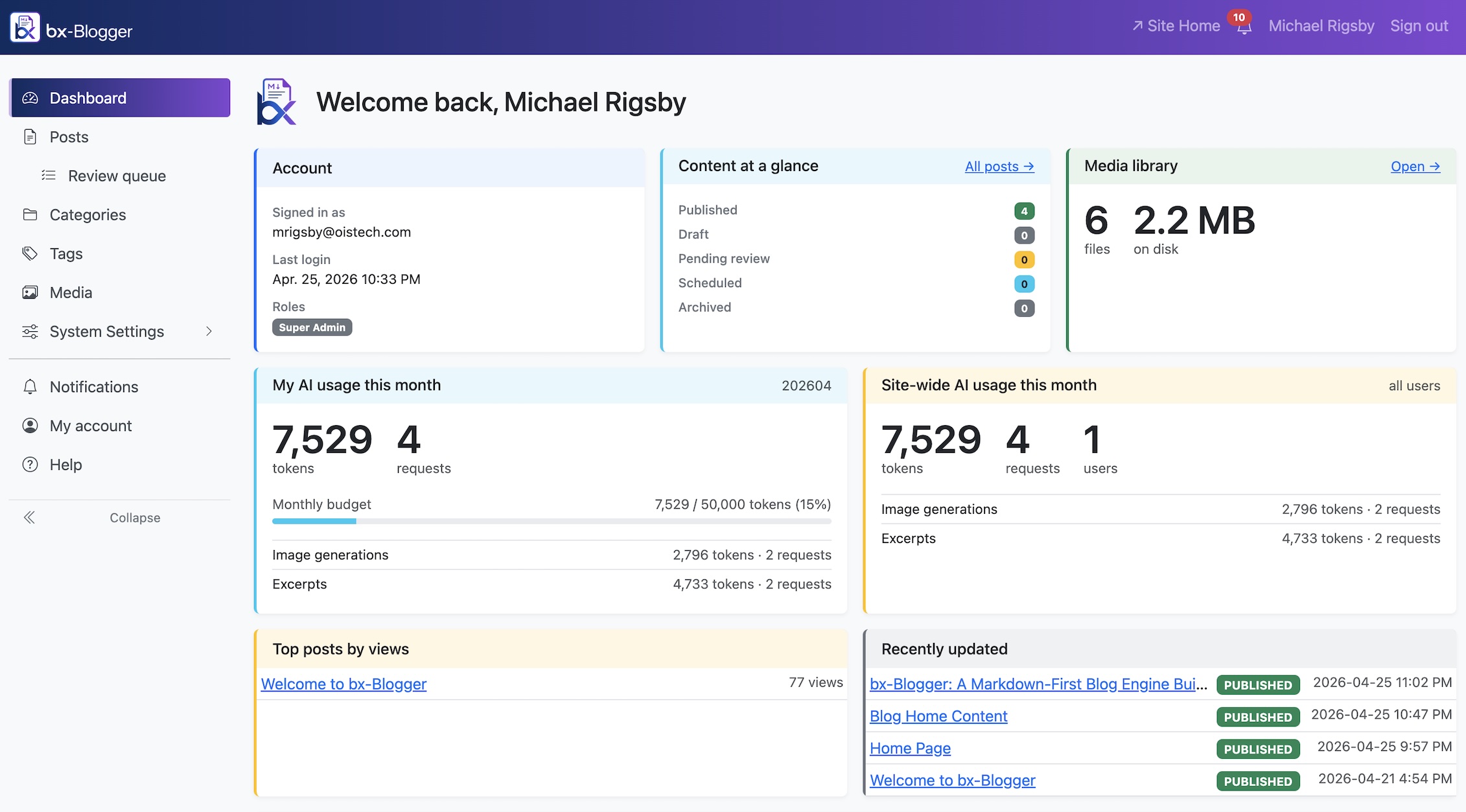
bx-Blogger is a self-hosted blog engine for developers. Posts are markdown. Pages are markdown. Code blocks are syntax-highlighted out of the box. Embeds (YouTube, Vimeo, Spotify, CodePen, Twitter/X) are auto-detected from a bare URL on its own line. The admin runs in your browser; everything ships in a Docker image you can spin up in a few minutes; and the whole thing is built on BoxLang and ColdBox 8, which means it's fast, easy to extend, and doesn't drag a Node-runtime supply chain around with it.
Why markdown-first matters
There's a particular kind of friction that comes from writing in a WYSIWYG editor when your brain works in fenced code blocks and bullet lists. You get a third of the way through a post about, say, async patterns in .NET, and suddenly you're fighting the editor about indentation in a code sample, or pasting a syntax-highlighted snippet that looks great until you switch themes.
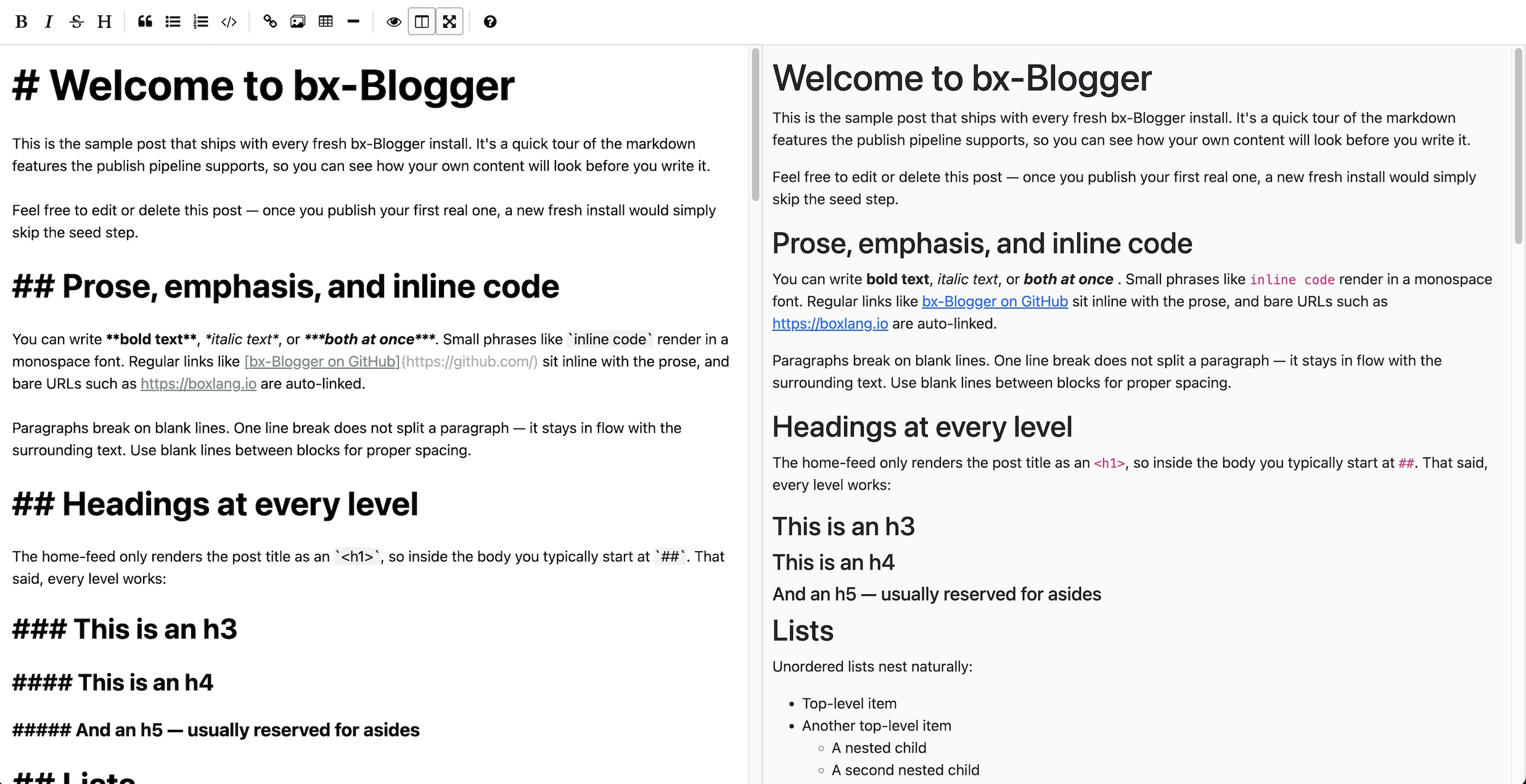
bx-Blogger sidesteps that entirely. Every post body is a markdown textarea, backed by EasyMDE for an inline toolbar, syntax-aware preview, and side-by-side mode. You write the same markdown you'd write in your README. The renderer takes care of code highlighting, embed expansion, image responsive sizing, and the rest.
What ships in the box
A non-exhaustive tour of what you get the first time you docker
compose up:
Posts and pages
Posts have everything you'd expect: titles, slugs, excerpts, featured
images, categories (hierarchical), tags, author bylines, scheduled
publishing, draft / published / scheduled / trashed lifecycle, and a
per-post visibility toggle (public, private, password-protected).
Pages share the same machinery with a post_type='page'
switch. They live at the root URL, so /about is just a
page with the slug about.
Pinned-to-home featured posts are a single checkbox on the post editor. The home page rolls them into a dedicated section above the post grid when the active theme has the option turned on.
Three themes, all serious
bx-Blogger ships with three themes you can use as-is or fork:
- Default: clean, responsive, Bootstrap 5.3 with a custom Vite-built SCSS overlay. The everyday workhorse.
- Magazine: warmer palette, serif headings, a hero-card home layout. Proves the theme seam by being visually distinct from default while running on the same option set.
- Fallback: vanilla Bootstrap with no build step. Always installed, never uninstallable. Activates automatically if your configured theme can't be resolved on disk, so a botched theme swap can't take the public site down.
Every shipped theme exposes the same set of operator-editable options:
- Logos (light + dark variants), favicon, site title, hide-title toggle
- Accent colors (light + dark) that cascade through buttons, links,
focus rings, card borders, and tag pills via Bootstrap's
--bs-primarycustom property - Intro page slots for
/,/blog,/tags,/categories,/search, and a custom 404 - Post-card display toggles (excerpt, author, date, reading time)
- Featured-post section opt-in with configurable count
- Custom CSS injection (cascade-priority, no
!importantneeded) - Custom
<head>HTML for analytics and verification snippets - Footer brand toggle, custom footer text, RSS link visibility
Adding your own theme is a folder drop. A theme is a
theme.json manifest, a layouts/ folder
(Main, Archive, Page, Post), a views/ folder (home, blog,
tags, categories, etc.), a partials/ folder, and
(optionally) a src/ folder with SCSS and JS that the
included Vite build picks up automatically.
Media library
A first-class media library handles uploads, alt text, captions, automatic responsive variants (theme-declared thumbnail sizes get generated on upload), and a search-as-you-type picker that surfaces inside the post editor's image button and inside theme options for logo / favicon picks.
Storage is pluggable. Out of the box you can run with local disk (handy for development) or any S3-compatible provider. The default examples in the docs target Backblaze B2, which has cheaper egress than AWS S3 for the same API and no real lock-in.
Built-in SEO and discoverability
- Auto-generated
sitemap.xmlcovering posts, pages, tag pages, category pages, and authors - Per-post Open Graph image generation as a background job; images are produced server-side from a template, no third-party rendering service required
- RSS feed at
/feed.xmlwith autodiscovery<link>in every theme's<head> - SEO description override per post (defaults to excerpt)
- Custom 404 that you can swap for any published page
Search
A real search endpoint at /search that hits the
published post index, with no third-party JavaScript bundle, no API
key, and no "search-as-a-service" subscription.
Theme-controlled intro page above the results so you can put guidance
("try a category instead of a keyword") in front of users
who land here from a 404.
Permissions and multi-author
Roles ship with sensible defaults (super_admin,
admin, editor, author), and the
permissions matrix is surfaced in the admin so an operator can see
exactly who can do what without grepping through code. New permissions
register themselves; you don't have to remember to add them to a
settings table.
A user with a public author profile gets their own page at
/author/{slug} and shows up in the public
/authors directory.
Page cache that doesn't betray you
Public pages are aggressively cached, but cache invalidation is wired to the right events: publishing a post wipes the listing pages it would appear on; updating a theme option flushes the entire public surface (because options drive rendered HTML); editing a tag or category invalidates the corresponding archive. You don't think about it.
AI you actually own
Optional, off by default, BYO-key. When you turn it on (one
.env block) you get:
- Generate draft from idea: describe a post in a sentence, get a markdown draft you can edit
- Review & suggest edits: ask the model to review the current body and return structured suggestions (style, clarity, grammar, structure) that surface inline in the editor for accept / reject
- Generate image: produce a featured or inline image from a prompt; pick from multiple variations; insert at the cursor
bx-Blogger doesn't lock you into a single AI vendor. Every AI feature runs through bx-ai, the BoxLang module that abstracts the provider, so you can point at OpenAI, Anthropic, OpenRouter, a local Ollama instance, or anything else bx-ai supports without touching application code. Text and image generation each have their own model knob (cheap-fast text alongside nicer-quality image, or whatever combination suits you). Per-month token and image budgets keep surprise bills off the table. There's a mock provider for tests so the whole flow runs without an API key in CI.
Every system prompt powering the AI features is editable from the admin under System Settings → AI Prompts. Each prompt has its own active / inactive toggle: when inactive, the in-code default takes over, so a bad edit can't break the editor. "Reset to default" is one click. The security guardrails (the jailbreak-protection block appended after the operator's prompt) stay hard-coded so a compromised admin account can't turn them off.
Redirects
If you're migrating off another platform, the redirects manager lets
you stand up /old-slug → /new-slug rules without touching
the web server config. Wildcard support, hit counters, last-used
timestamps. A small thing that saves a bigger headache.
Stack and ops
Under the hood:
- BoxLang running on the Ortus CommandBox base Docker image
- ColdBox 8 as the MVC framework, with HMVC modules for the admin
- CBWIRE for the reactive admin surface (Livewire-style server-driven components, with no SPA and no frontend build pipeline for the admin)
- MySQL 8.4 for the primary store
- Quick as the ORM, qb for query building
- cbq for background jobs (OG card rendering, scheduled publishing, AI requests)
- Vite for theme asset compilation (only needed when you customize a theme)
- MailHog in dev for outbound email capture; production uses whatever SMTP you configure
The whole thing is intentionally Docker-first. Production is a
docker compose up away. Migrations apply on container
start. Background workers run in a separate worker
container so a slow job can't tie up a request thread.
There's no Java to install, no PHP-FPM to tune, no Node runtime to maintain. If you can run Docker, you can run bx-Blogger.
Self-hosting honesty
This is a self-hosted platform. That comes with the usual asterisks:
- You're responsible for backups (the docs include a sample script)
- You're responsible for TLS (the deployment notes assume a reverse proxy like Caddy or Traefik in front)
- You're responsible for security updates to the base image (CI rebuilds the image on a schedule so you get fresh patches when you redeploy)
In exchange you get: no per-seat pricing, no "you used too many posts" letters, no surprise UI redesign because someone in product wanted to ship a feature, no analytics-by-default, no tracking pixels, no growth-hacking newsletter signup popovers.
What's next
bx-Blogger is in active development. The roadmap (in priority order) for the next few releases includes:
- A first-party newsletter integration that doesn't phone home to a third-party
- Webmentions support (so other people's links to you can populate a "mentioned by" section under each post)
- A Plausible / Umami-style aggregated stats panel inside the admin (no per-visitor tracking, just totals)
If any of that sounds useful, follow the tags for
bx-blogger and release-notes. I'll be
writing about each of these features as they ship: what the design
constraints were, what tradeoffs got made, and how to use them once
they're out.
I'd love to hear what you think.