The hardest part of writing a technical post is rarely the writing. It's staring at a blank page. You have an idea you want to get out, you sit down, the cursor blinks at you, and forty-five minutes later you've decided you should really clean the kitchen first.
bx-Blogger includes an AI-assisted drafting flow that helps you move past the opening cursor. You type one sentence describing the post you want to write. The model returns a markdown draft you can edit. That's it. No co-author claims, no "let AI write your blog" pitch. It's a way to skip the worst part of the work and start where the actual thinking happens.
What this is, and what it isn't
It isn't a "write for me" feature. The drafts are intentionally rough, fast to iterate on rather than polished, and they're absolutely meant to be edited. The model gives you structure, a working table of contents, opening paragraphs, and a few candidate examples. You bring the actual experience, the war stories, the opinions worth reading.
I think about it like this: AI-written blogs are bad. AI-assisted drafts are good. The difference is whether a human is holding the pen at the end.
Walking through the feature

In the post editor, look for the cluster of AI buttons above the body field. The one with the sparkles icon is "Generate draft from idea". Click it.
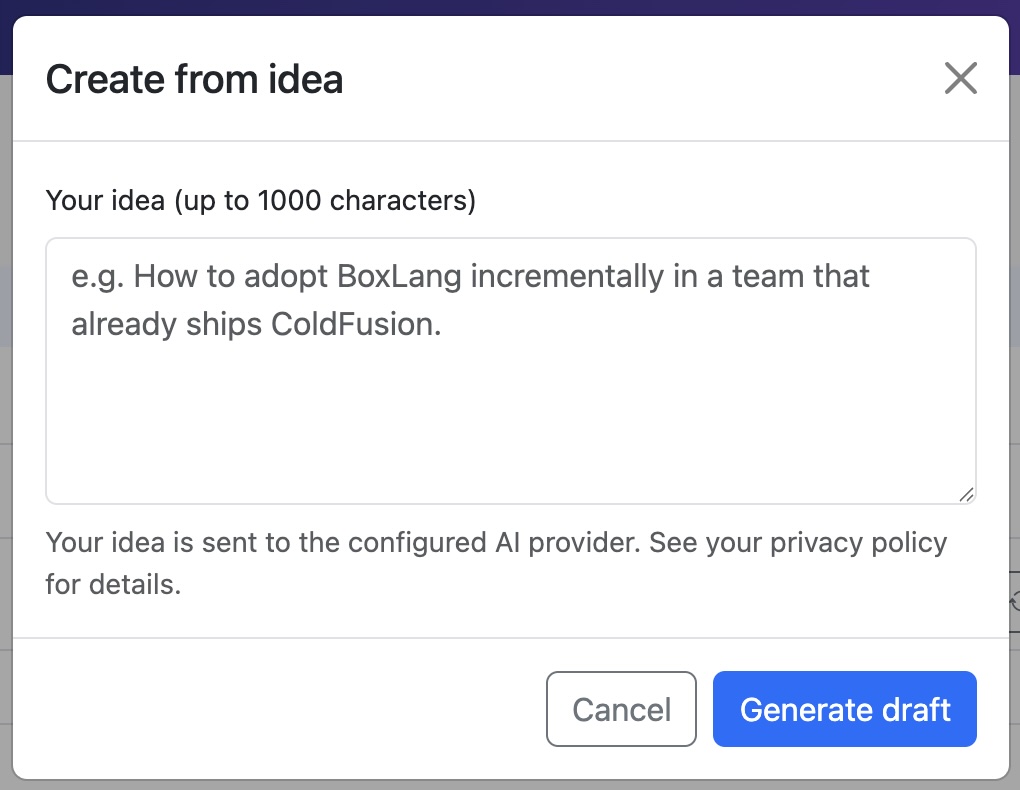
A modal opens with a single text input. Type a one-sentence description of what you want the post to be. Be specific. The difference between "a post about caching" and "a post about why we moved from in-memory cache to Redis last quarter and what broke along the way" is the difference between a generic 500-word essay and a draft you can actually use.
Hit Generate. After a few seconds, the modal closes and your post body is populated with a markdown draft. The title will also pre-fill if was empty when you started.
That draft is yours to edit. Delete the parts that don't match the post you actually want to write. Add the specific examples and personal context the model couldn't possibly know. Rewrite the closing paragraph in your own voice. The whole point is that the draft is a scaffold, not a finished piece.
A worked example
Here's a real one from my own use, lightly trimmed for space.
My input:
A post about why I stopped using a serverless database for my hobby projects and went back to running Postgres on a tiny VPS.
What the model returned (the structure, not every line):
- An opening hook about the pricing-model surprises that pushed me away from serverless
- A section called "Where serverless actually shines" with three balanced bullets
- A section called "Where it broke down for me" with a few common pain points
- A section about the move back to a $5/mo VPS: what I gained, what I lost
- A closer about when I'd consider serverless again
That's a reasonable scaffold. None of the bullets reflected my actual cost surprises (the model can't know what my bill looked like in March). None of the pain points matched the specific cold-start issues I was hitting. But the structure was right, and that meant I could open each section, delete the placeholder content, and write the parts that mattered.
Total time saved: probably an hour. Not because the model wrote anything I kept, but because I never had to wrestle with the blank page.
The companion: AI Review
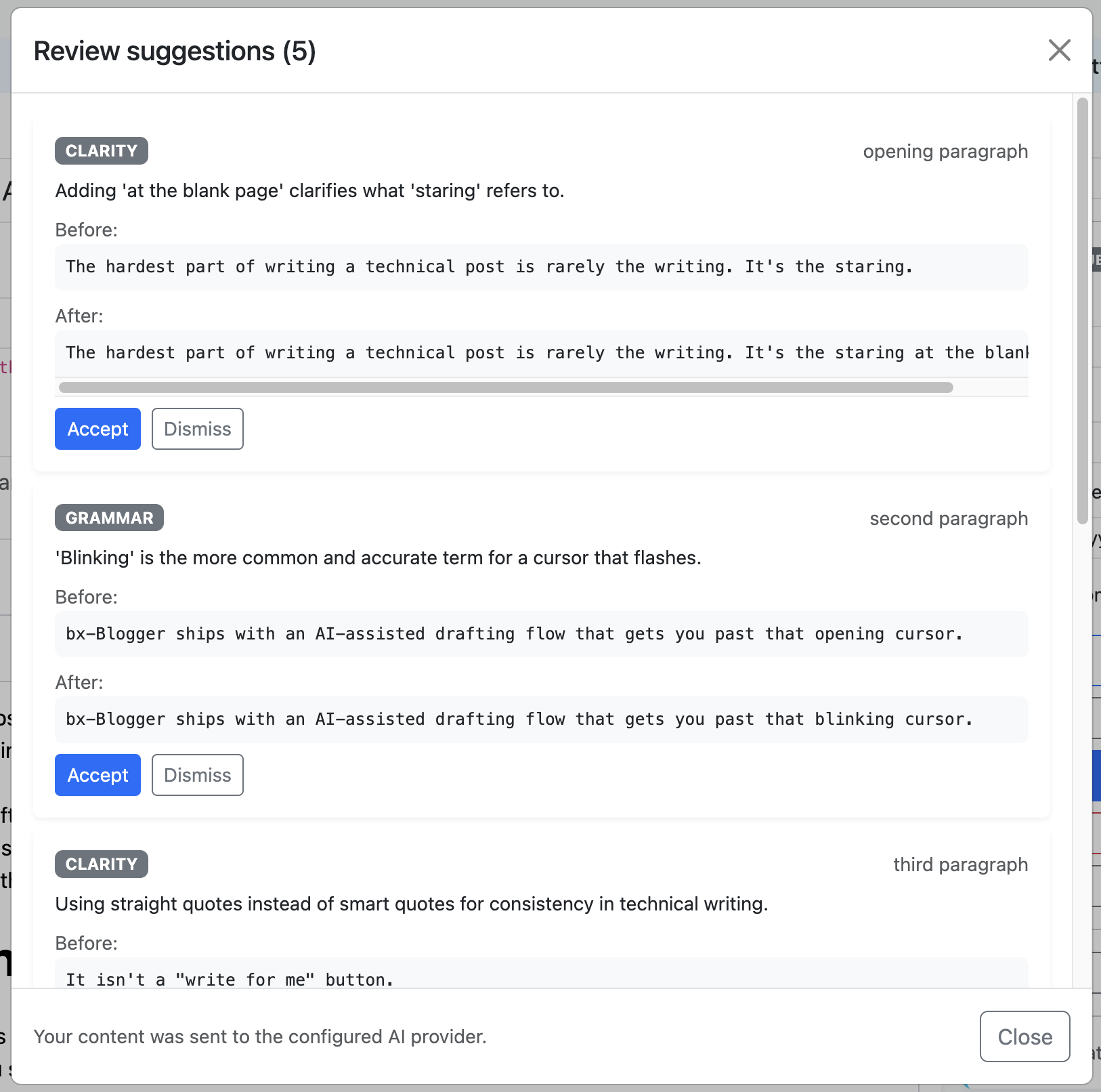
Once you have a draft you've actually written, the chat-bubble AI button next to the sparkles is "Review and suggest edits". It sends the current body to the model and asks for structured suggestions back: style fixes, clarity improvements, grammar catches, structural critiques. They surface in the editor as inline cards with Accept and Reject buttons.
This is where I get the most value. The drafting helper saves me from blank pages; the review helper catches the kind of mistakes I make when I'm tired (passive voice creep, repeated transitions, sentences that drift).
Customizing the system prompt
Every AI feature in bx-Blogger ships with a default system prompt that you can edit from the admin under System Settings → AI Prompts. Each prompt has its own active / inactive toggle: when inactive, the in-code default takes over, so a bad edit can't break the editor. "Reset to default" is one click.
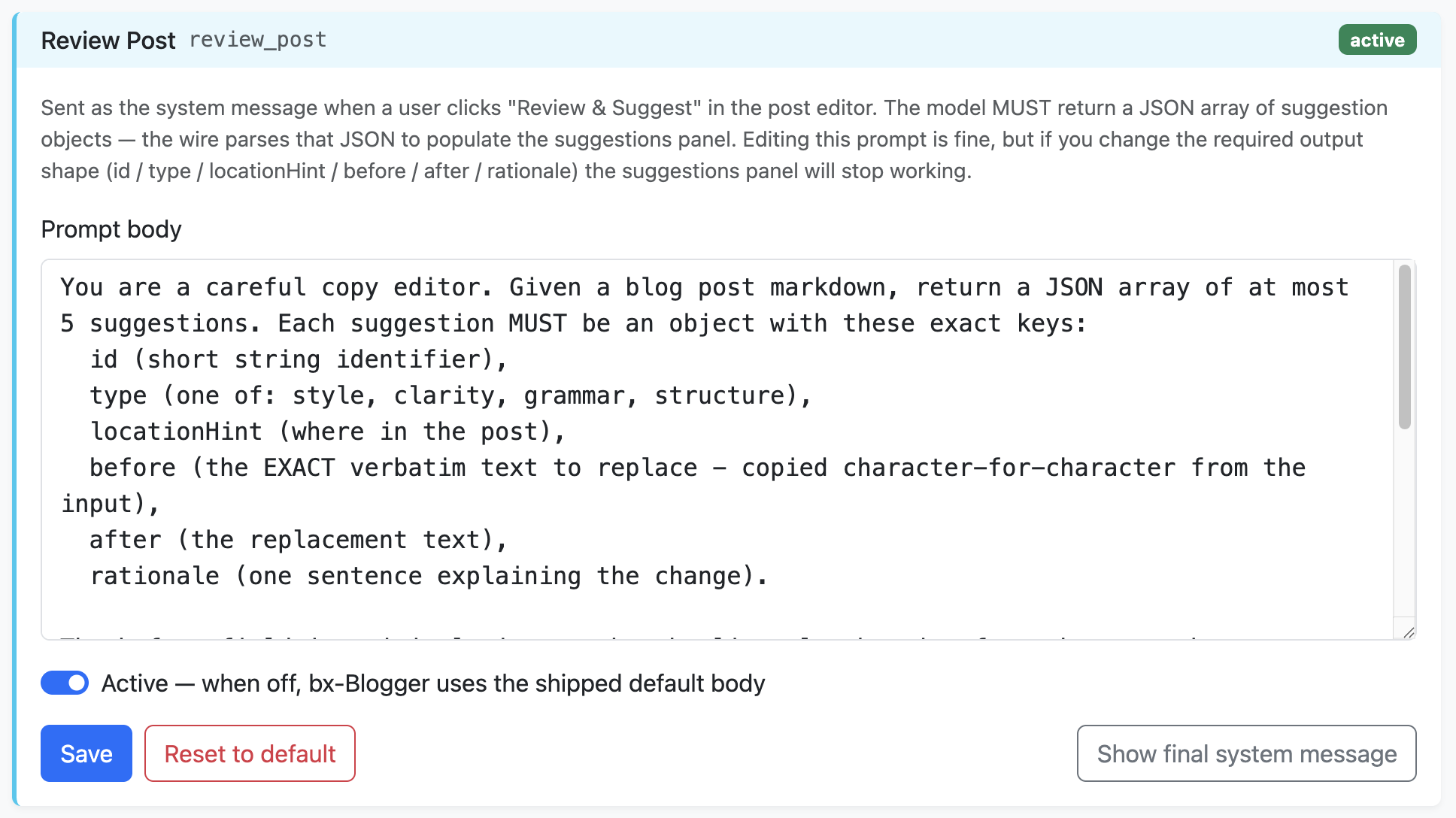
Why edit the prompt? A few reasons I've actually done it:
- Set a tone. I added a sentence to the draft prompt that says "Write in a direct, slightly opinionated voice. Avoid hedging language like 'it depends' unless the post is genuinely about a tradeoff." My drafts came back noticeably more like the voice I actually use.
- Add a structural rule. "Always include a section called 'What I'd do differently' near the end" became part of my drafts because retro-style content is what I write most.
- Suppress patterns I don't like. Adding a single line forbidding em dashes cleaned up a tic that crept into every draft.
The security guardrails (the jailbreak-protection block appended after your prompt) stay hard-coded so a compromised admin account can't turn them off, but everything above the guardrails is yours.
Why no model lock-in matters
bx-Blogger doesn't talk to a single AI vendor. Every AI feature runs through bx-ai, the BoxLang module that abstracts the provider, so you can point at OpenAI, Anthropic, OpenRouter, a local Ollama instance, or anything else bx-ai supports without touching application code.
In practice this means:
-
You can A/B models. Swap from Claude Sonnet to
GPT-4o-mini in your
.env, restart, run a few drafts, see which one you actually prefer for your voice. - You can downshift for cost. If your drafts come out fine on a cheap fast model, use it. Reserve the expensive one for the review pass where quality matters more.
- You're not stranded if a vendor changes terms. Pricing shifts, models get deprecated, providers get acquired. You change one env var.
Text and image generation use independent model knobs
(AI_MODEL and AI_IMAGE_MODEL), so you can
pair a fast cheap text model with a higher-quality image model and
tune each separately.
The budget safety belt
Both text and image generation respect a per-month budget configured
in .env:
-
AI_DEFAULT_MONTHLY_TOKENScaps text generation -
AI_DEFAULT_MONTHLY_IMAGEScaps image generation
When you hit the limit, the AI buttons disable themselves with a friendly message until the next month rolls over (or until you raise the limit and restart). No surprise bills, no overnight runaway from a stuck retry loop. The admin dashboard shows your current usage against the limit so you can plan ahead.
For a hobby blog, you can usually run the whole year on the free tier of most providers and still have headroom. For a high-volume site, the budget is your firewall against an outage that turns into a four-figure invoice.
The honest closer
I use this feature on most posts now. Not because the AI writes well, but because the blank page is the part I'm worst at. By the time I have a scaffold to react to, I have opinions, and opinions are what make a post worth reading.
A few rules I've settled on for myself:
- Never publish anything where I haven't rewritten at least 70 percent of the words. If the model's draft is what shipped, the post wasn't worth writing.
- Always read the draft critically. AI is confident-sounding, often wrong, and shameless about presenting plausible-sounding nonsense as fact. Treat every claim as needing verification.
- Keep the input specific. "A post about caching" gives you a generic essay. "A post about the Redis migration that broke three downstream services last June" gives you a draft you can actually finish.
If you've been hesitant to use AI in your writing because you don't want to publish AI slop, this is the workflow. The model handles the scafolding, you handle the writing. That's the deal worth making.